Exhibit preparation software

Automate PDF Exhibit Stamping in Seconds

From 30 minutes to 10 seconds. Prepare deposition and trial exhibits faster with automated exhibit numbering, exhibit labels and professional PDF exhibit stamping designed for litigation teams.

7-day free trialUS / CA / AU / UKUSPTO trademark filed
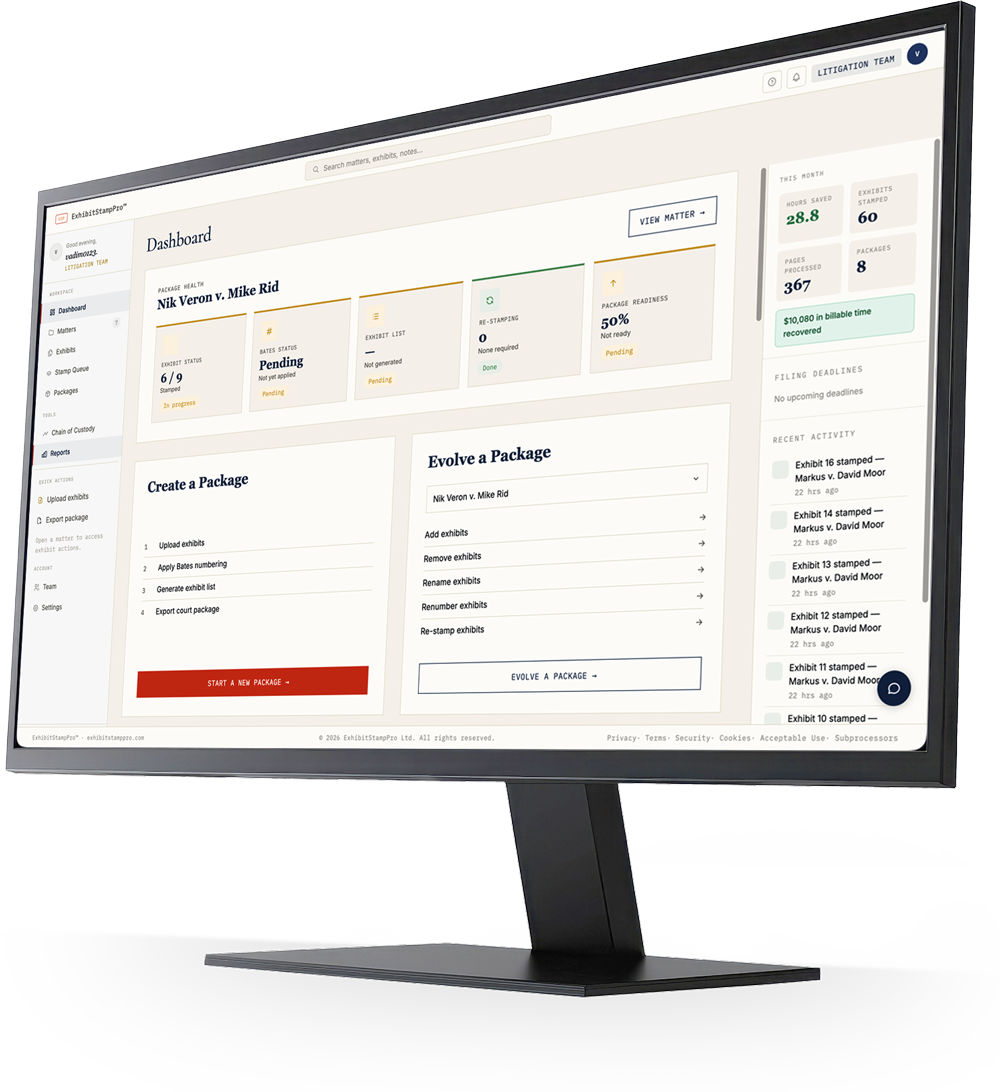
ExhibitStampPro dashboard showing PDF exhibit stamping, package health, and court readiness for litigation teams
ExhibitStampPro legal exhibit software interface
S.D.N.Y.Southern District of New YorkC.D. Cal.Central District of CaliforniaN.D. Ill.Northern District of IllinoisD. Del.District of DelawareE.D. Tex.Eastern District of TexasN.D. Cal.Northern District of CaliforniaD.D.C.District of ColumbiaFed. Ct. Can.Federal Court of CanadaNSW SCCTNSW Supreme CourtTCC UKTechnology & Construction CourtW.D. Tex.Western District of TexasS.D. Fla.Southern District of FloridaS.D.N.Y.Southern District of New YorkC.D. Cal.Central District of CaliforniaN.D. Ill.Northern District of IllinoisD. Del.District of DelawareE.D. Tex.Eastern District of TexasN.D. Cal.Northern District of CaliforniaD.D.C.District of ColumbiaFed. Ct. Can.Federal Court of CanadaNSW SCCTNSW Supreme CourtTCC UKTechnology & Construction CourtW.D. Tex.Western District of TexasS.D. Fla.Southern District of Florida
94Federal districtspre-loaded
4JurisdictionsUS · CA · AU · UK
2.4 hrsSaved per matteravg. across all plans
100%Original preservednever overwritten

Legal exhibit preparation

What is PDF Exhibit Stamping?

When litigation teams prepare deposition exhibits, trial exhibits, and court filing packages, every PDF page typically needs a consistent identifier — an exhibit label, Bates-style number, or electronic exhibit sticker applied in the court's required format. PDF exhibit stamping is the process of applying those professional mark-ups across an entire document set.

Exhibit numbering assigns sequential identifiers so judges, opposing counsel, and internal teams can reference documents precisely during hearings and written submissions. Exhibit labels communicate party designation, case number, and exhibit identity on each page — often as a bordered box on the first page with smaller continuation marks on subsequent pages.

For decades, legal teams have handled this work manually: opening each PDF in desktop software, placing text boxes, copying formats, and checking local rules page by page. Deposition workflows and trial preparation cycles repeat the same steps hundreds of times per matter. One formatting change — a revised case number, a renumbered exhibit list — can force a full re-do.

Exhibit preparation software automates that repetition. Upload source PDFs once, apply court-compliant stamps and numbering across the set in seconds, and export a filing-ready package without altering your originals. For litigation paralegals and trial attorneys managing high-volume document sets, that shift from manual editing to a structured legal PDF workflow is where hours of billable time are recovered — with consistent exhibit management, fewer manual errors, and a faster path from document review to court-ready PDFs.
How it works

From upload to court package
in four steps.

No manual formatting. No missed deadlines. No version confusion. ESPro handles court-specific PDF labeling and exhibit package preparation so your team focuses on the case.

01

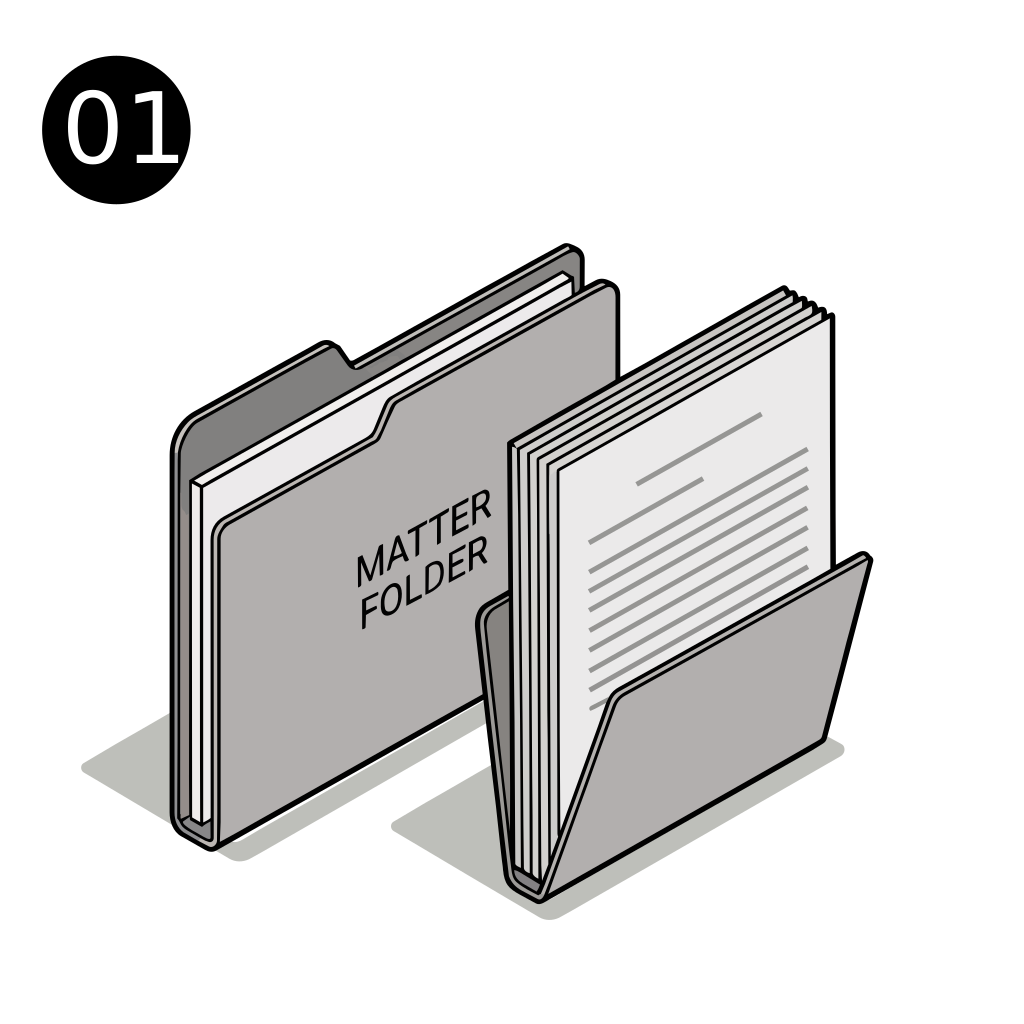
Create a matter

30 sec

Set jurisdiction, case number, and party designation. ExhibitStampPro loads the correct formatting rules for your court automatically.

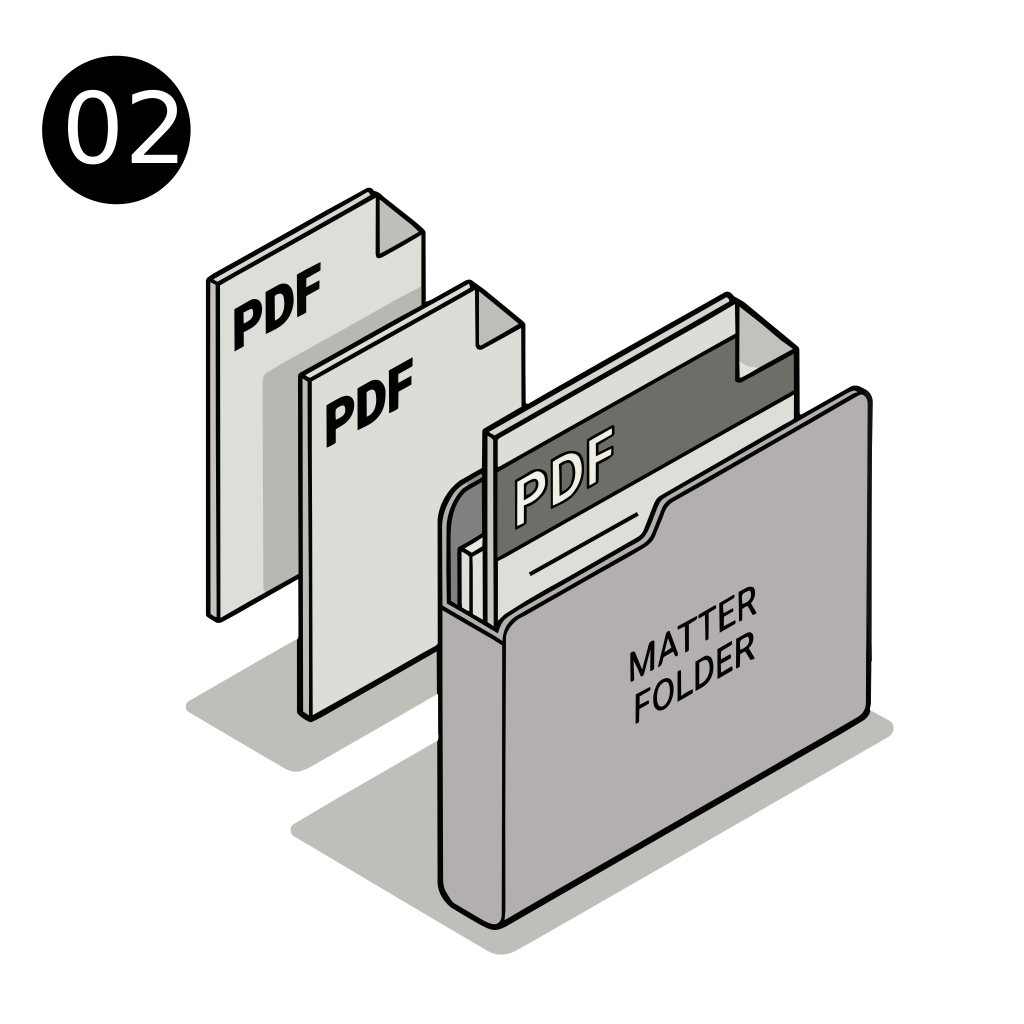
02

Upload your PDFs

2 min

Drag in your documents. Stored in a private, encrypted bucket — only your team can access them.

03

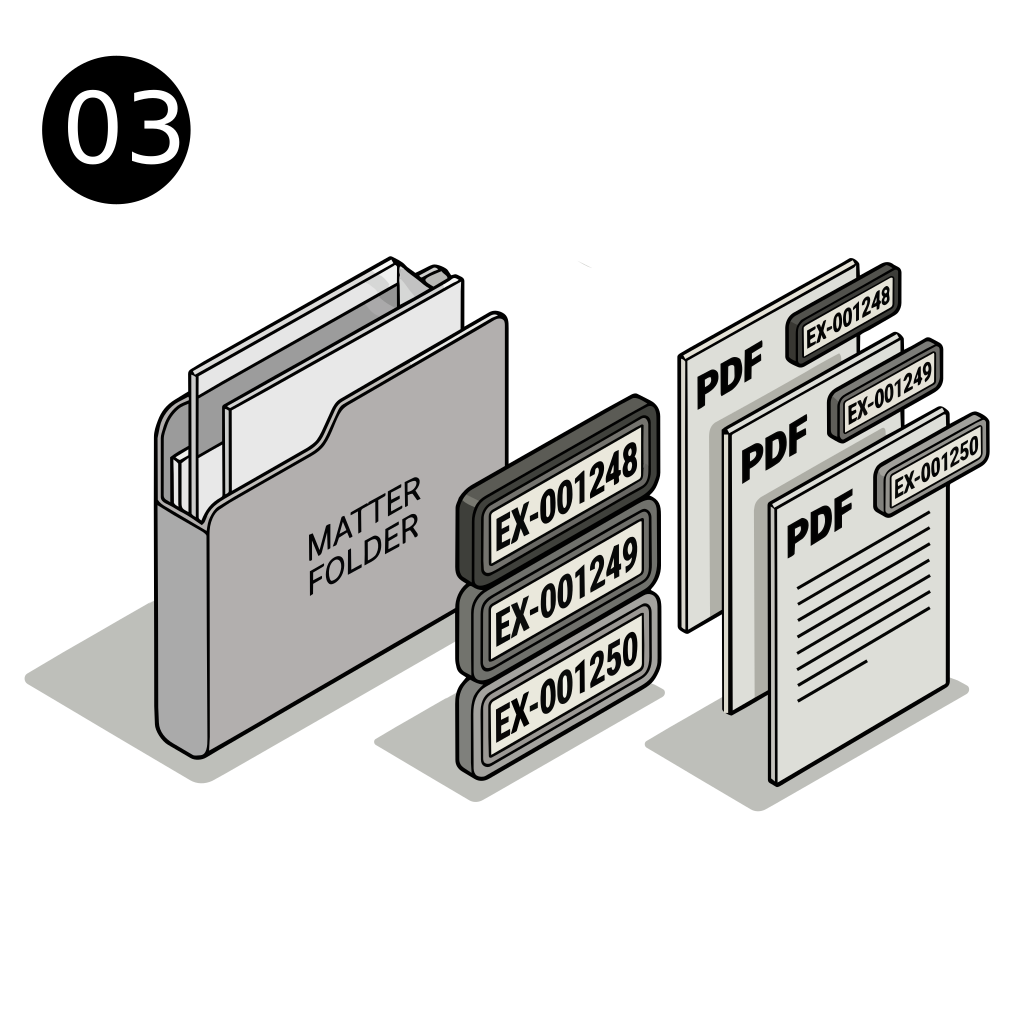
Auto-stamp exhibits

15 sec per exhibit

One click applies the bordered exhibit box — large stamp on page one, smaller continuation stamps throughout. Re-stamp any time.

04

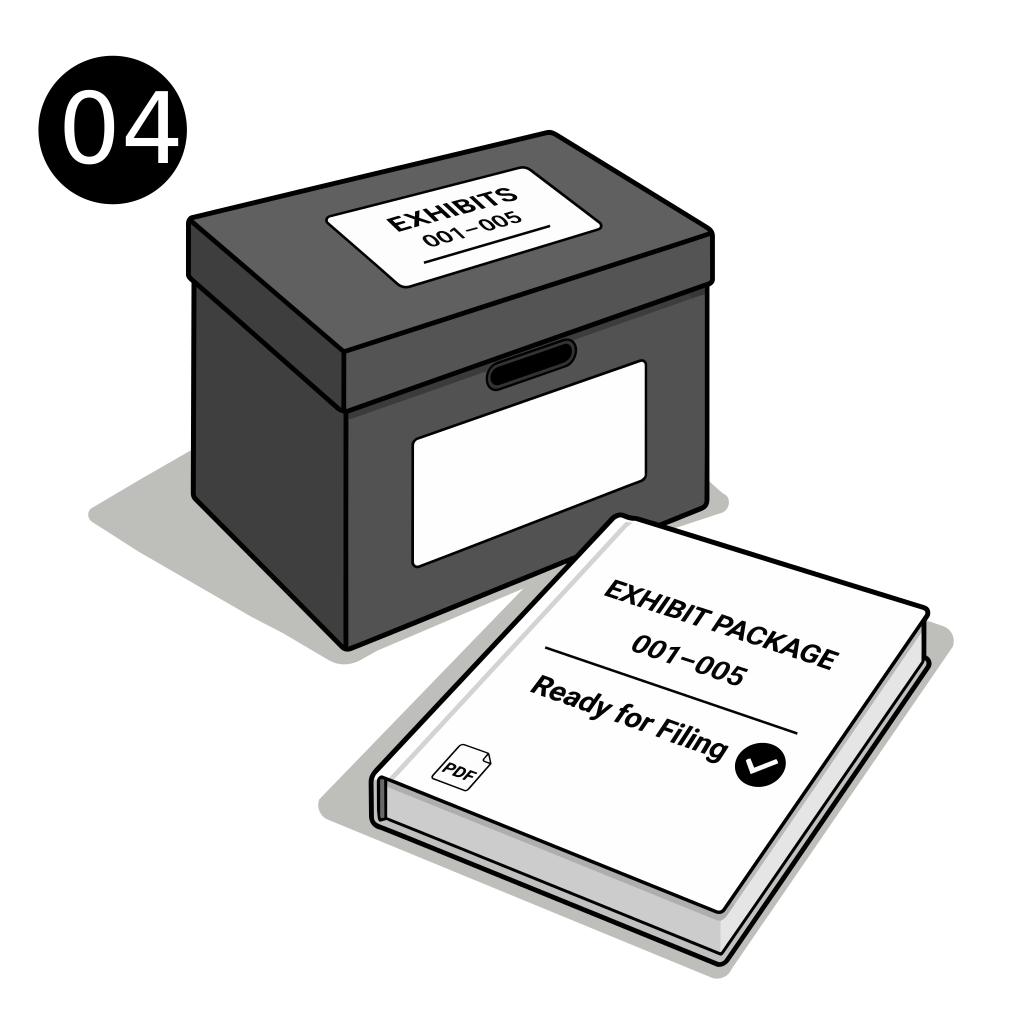
Export the court package

10 sec

Generate a complete, properly ordered PDF package with cover sheet and exhibit index. Ready to file.

01 · Create matter

01 · Create matter

30 sec

02 · Upload PDFs

02 · Upload PDFs

2 min

03 · Stamp exhibits

03 · Stamp exhibits

15 sec each

04 · Export package

04 · Export package

10 sec

Built for litigation teams

Who ESPro Is For

Legal exhibit software should fit the people doing the work — not the other way around. ESPro supports every role in the exhibit preparation pipeline.

Litigation Paralegals

Replace hours of manual PDF editing with automated exhibit numbering and labeling. Prepare deposition and trial exhibit sets from one matter workspace without reformatting each file by hand.

Trial Attorneys

Review court-ready PDFs faster. Know your package readiness before filing, re-stamp entire matters when case details change, and export organized trial exhibits in minutes.

Legal Assistants

Upload documents once, apply consistent exhibit labels across the set, and assemble filing packages without desktop software workarounds or version confusion.

Trial Support Specialists

Manage high-volume exhibit lists under tight deadlines. Batch-stamp PDFs, track numbering, and deliver professional electronic exhibit stickers for hearing binders and digital presentations.

Litigation Support Teams

Standardize legal document preparation across matters. One litigation workflow for stamping, Bates-style numbering, package export, and audit trails — built for repeatability at scale.

Small & Mid-size Law Firms

Get enterprise-grade exhibit management without enterprise overhead. Automate repetitive exhibit preparation work so lean teams can handle complex cases with the same polish as larger departments.

Litigation workflows

Common Use Cases

From deposition prep to court filing, ESPro covers the document workflows litigation teams repeat on every matter.

Deposition Preparation

Organize witness documents, apply PDF exhibit labels, and produce numbered deposition exhibits counsel can reference cleanly on the record — without rebuilding labels when the exhibit list changes.

Trial Exhibit Preparation

Stamp and number trial exhibits in court-compliant format, maintain continuation marks on long PDFs, and keep your trial workflow moving as exhibits are added or reordered before hearing.

Court Filing Preparation

Prepare exhibits for court with consistent formatting, generated indexes, and exportable packages aligned to your jurisdiction's expectations — so filing teams spend less time on assembly.

Discovery Production

Apply document exhibit numbering across production sets, preserve originals, and maintain a clear chain from uploaded PDF to stamped output for review and delivery.

Internal Case Review

Give attorneys labeled, numbered PDFs for strategy sessions and partner review. Internal teams see the same exhibit identifiers that will appear in final filings.

Exhibit Package Creation

Combine stamped exhibits into a single court-ready PDF package with cover sheet and index — the final step of legal exhibit preparation, automated after upload and labeling.

Why teams switch

Why Legal Teams Use ESPro

Exhibit stamping software should save time without sacrificing precision. ESPro automates exhibit labels and numbering while keeping counsel in control of every output.

  • Save hours preparing exhibits
  • Eliminate repetitive PDF editing
  • Consistent exhibit numbering
  • Professional exhibit labels
  • Faster trial preparation
  • Reduce manual errors
  • Streamline litigation workflows
  • Prepare hundreds of exhibits in minutes

Signature feature

Court Readiness Score.
Know before you file.

Every matter has a Court Readiness Score — a 0–100% assessment of whether your exhibit package is ready to file. Not a vague status label. A precise checklist of what is done and what is missing.

When a lawyer asks “are we ready to file?” the answer is no longer a guess. It is a number, with a list.

Court readiness · Rivera Estate — Probate

87%

All 14 exhibits stamped
Jurisdiction set — D. Del.
Exhibit index generated
Case number confirmed
Court package not yet exported
Filing deadline not set

What's included

Every tool a litigator
actually needs.

Built for litigation teams — exhibit stamping software, not a generic document tool repurposed for legal.

📄

Smart PDF stamping

Bordered exhibit boxes with large first-page stamps and smaller continuation marks. Re-stamp on demand when formats change.

Live
⚖️

94 federal districts

Pre-loaded formatting rules for all US federal courts plus Canada, Australia, and UK. Correct formatting by default.

Live

Court readiness score

0–100% readiness score with a checklist of what is missing. Know exactly what stands between you and a filed exhibit package.

Live
🗓️

Filing deadline tracker

Five urgency tiers from 7 days out to overdue. Color-coded alerts. Deadlines visible on every matter card.

Live
📦

Court package export

Generate a complete, ordered PDF package with cover sheet and exhibit index — ready to attach to your filing.

Live
🔒

Private encrypted storage

All documents stored in AES-256 encrypted private buckets. Only your team can access them. Audit trail for every action.

Live

Return on investment

The math is
embarrassingly clear.

Manual exhibit stamping, re-labeling, and package assembly eats 2–4 hours per matter. A mid-size litigation team handling 12 matters a month loses 28 billable hours to paperwork. ExhibitStampPro reclaims that time.

Time to stamp + organize3.4 hrs
Billable value lost$1,190
Time to stamp + organize12 min
Time saved per matter3.2 hrs
At 12 matters / month$14,280 recovered
ExhibitStampPro (Beta Plan)−$99 / mo
Monthly net ROI$14,181

Built with practitioners

Research informed by interviews with litigation teams

ExhibitStampPro™ is developed with feedback from litigation professionals — paralegals, attorneys, and legal operations teams who prepare exhibits under real deadline pressure.

  • Structured research interviews
  • Workflow validation with practitioners
  • No fabricated testimonials

Learn about the research program →

Questions

Frequently Asked Questions

Answers to common questions about PDF exhibit stamping, exhibit numbering, and how litigation teams use ESPro for court exhibit preparation.

What is exhibit stamping?

Exhibit stamping is the process of applying a standardized label to each page of a PDF exhibit — typically showing party designation, exhibit identifier, and case number. In federal and many state courts, this appears as a bordered box on the first page with smaller continuation marks on later pages. ESPro automates that placement so teams do not have to build labels manually in desktop PDF tools.

What are exhibit labels?

Exhibit labels identify a document within a case — for example, "PLAINTIFF'S EXHIBIT 12" with the case caption. They function as electronic exhibit stickers on PDFs, giving judges and counsel a consistent reference during depositions, hearings, and trial. ESPro generates these labels in a court-appropriate format and applies them across entire documents in seconds.

What is exhibit numbering?

Exhibit numbering assigns sequential identifiers to documents in a matter (Exhibit 1, Exhibit 2, and so on). Accurate numbering is essential for trial preparation, witness examinations, and filings. ESPro tracks numbering within each matter and keeps stamped outputs aligned with your exhibit register as the list evolves.

Can exhibit preparation be automated?

Yes. Much of the repetitive work — opening files, placing labels, checking formatting, re-stamping after a case number change — can be automated with exhibit preparation software. ESPro handles PDF exhibit stamping, numbering, and package assembly from a single browser-based workflow so litigation teams focus on substance, not formatting.

How are deposition exhibits prepared?

Deposition exhibits typically start as source PDFs gathered for a witness. Paralegals or legal assistants label and number each document, confirm party designation, and often produce a consolidated set for counsel. ESPro streamlines that deposition workflow: upload PDFs to a matter, stamp in batch, and export a organized package without manual copy-paste across files.

How are trial exhibits organized?

Trial exhibits are usually numbered sequentially, stamped in the court's required format, indexed, and bundled for hearing or e-filing. Teams renumber and re-stamp as exhibits are added late in the case. ESPro keeps trial exhibits under one matter with readiness tracking, re-stamp capability, and export tools for exhibit package preparation.

Does ESPro modify my original PDFs?

No. Your uploaded PDF is stored separately and never overwritten. Stamping creates a new version from the original each time. You can download the source file at any time and re-stamp if case details or numbering changes.

Do I need Adobe Acrobat?

No. ESPro runs entirely in the browser. There is no desktop install, plugin, or Acrobat license required. Upload PDFs, stamp, and export packages from any modern browser on Mac, Windows, or Linux.

Who is ESPro built for?

ESPro is built for litigation paralegals, trial attorneys, legal assistants, trial support specialists, and litigation teams at small and mid-size firms who prepare exhibits regularly and want to automate exhibit labels, numbering, and court package assembly.

Is my data secure?

Yes. Documents are stored in private, AES-256 encrypted storage accessible only to your account. Every stamp, upload, and export is recorded in an audit log. ESPro is designed for confidential legal document preparation — not public file sharing.

Can I process multiple PDFs?

Yes. Upload multiple PDFs to a matter and stamp each exhibit individually or use batch workflows where available. ESPro is built for matters with many exhibits — the kind of volume that makes manual PDF labeling unsustainable.

How quickly can I prepare an exhibit package?

Most users stamp their first exhibit within minutes of signing up. A typical four-exhibit matter — upload, stamp, and export a court package — takes roughly fifteen minutes end to end, compared to hours of manual legal PDF workflow work.

More answers on our full FAQ page.

Research program

Help shape the future of
exhibit preparation.

Early participants receive founder-level support and locked-in pricing.

Research Program

Beta Plan

$99

per month

  • 1 user
  • 5 active matters
  • 10 exhibits per matter
  • 5 court packages/month
  • PDF stamp + re-stamp
  • Court package export
  • Email support
Start free trial

7-day free trial. No credit card required.

Need more matters, exhibits, or users? Contact us for expanded beta access →

Cancel any time · FAQ

Your next court-ready
package is 15 minutes away.

Free trial. No setup fees.

Start free trial →